Uploading documents to Mediref for sending
There are several ways you can add documents to Mediref to send out. Mix and match, choose what's easiest at the time for the file(s) at hand.
-
Drag and drop
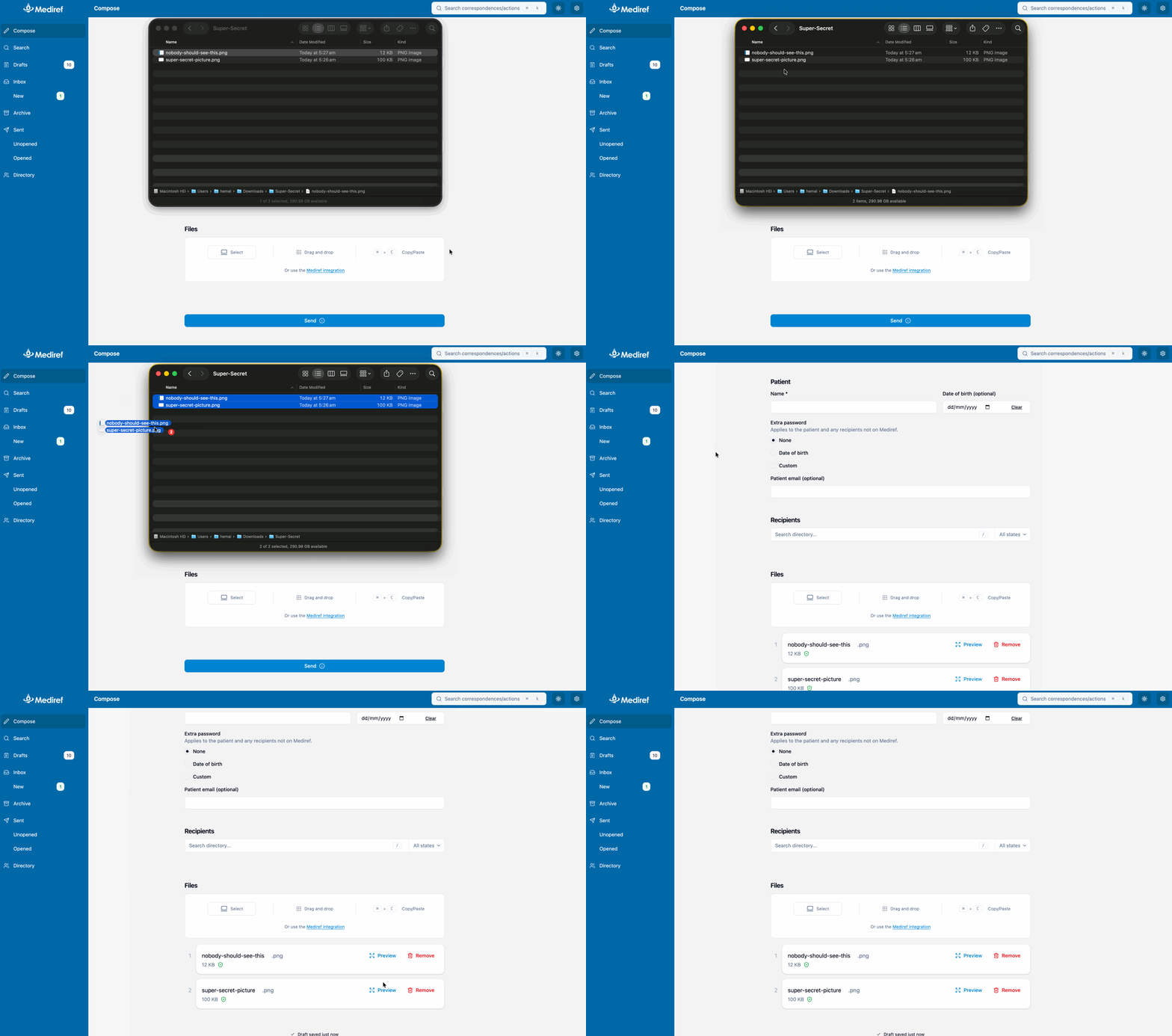
-
Copy and paste (ctrl+c and ctrl+v)
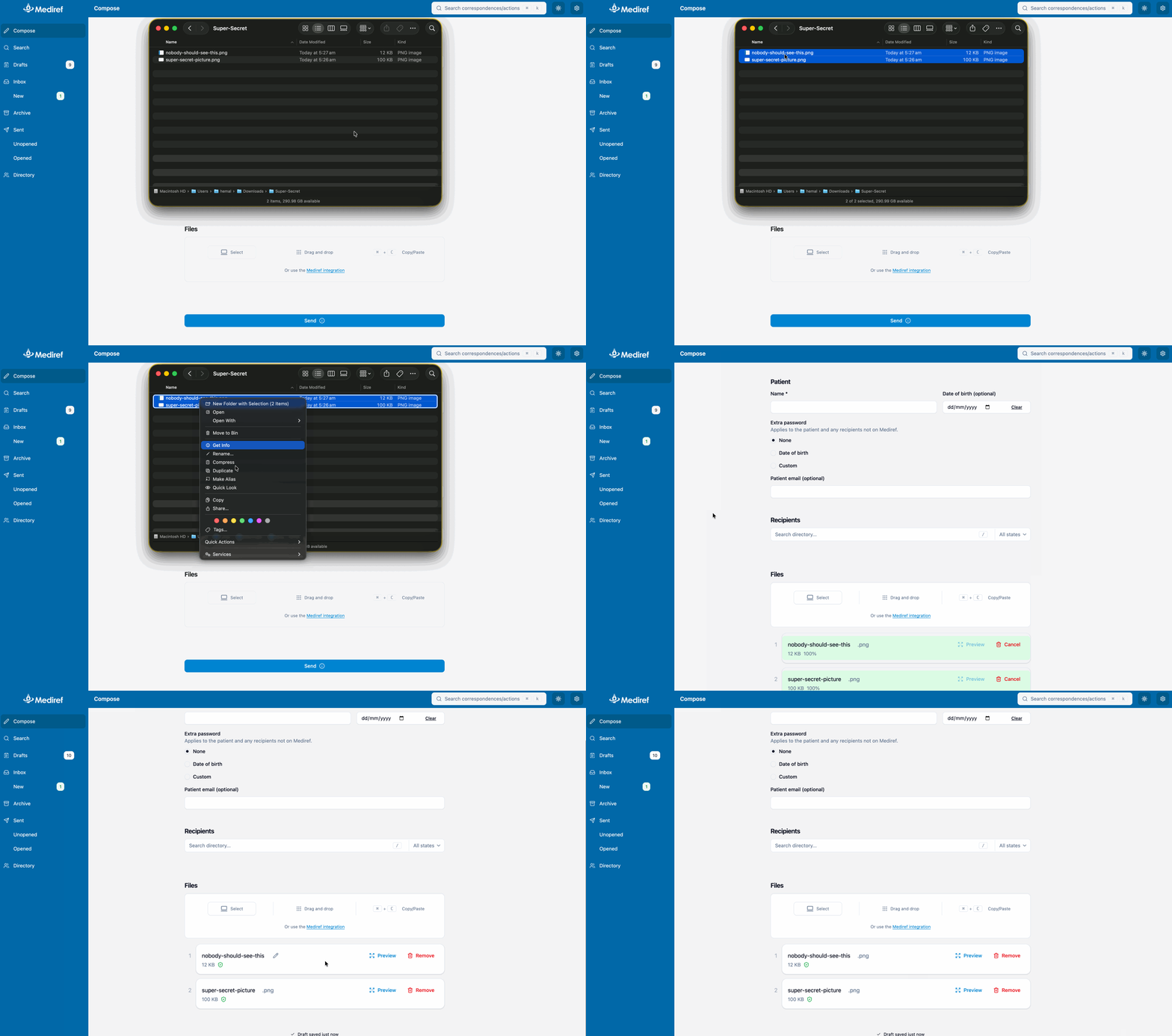
- Use the Mediref-Printer - we have a whole article dedicated to this
-
Select from your computer
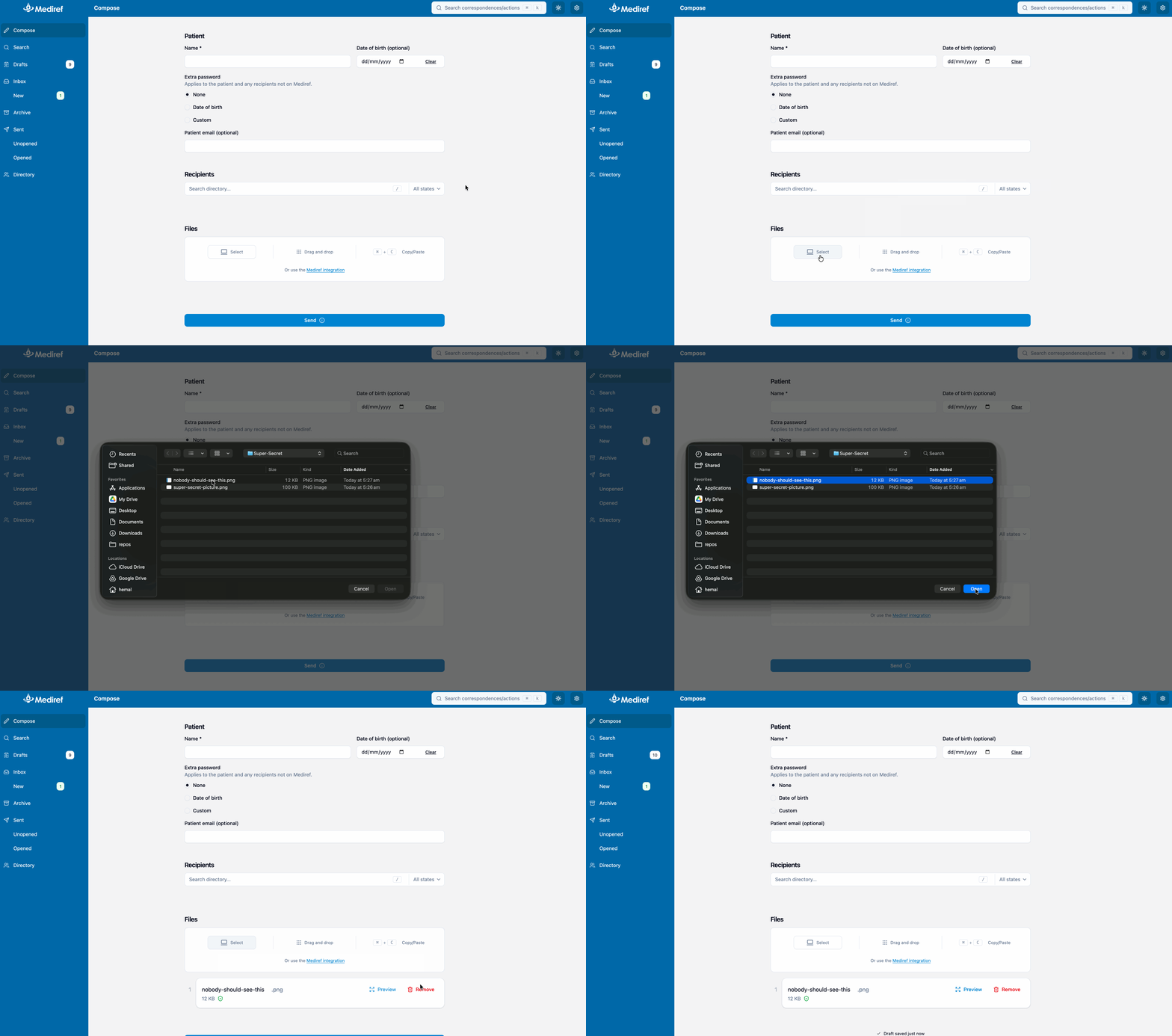
- Automatically using the Mediref-Uploads folder - full article.
